How do I plan routes when a customer gives two delivery windows, such as morning or afternoon?
Updated
Short answer
Give the order both windows and let the plan choose the one that fits the route. In DayRoute each delivery order takes one or two windows, such as 9–11 AM or 2–4 PM, and the second must start after the first ends. The plan visits the order in one of them, and the customer is told a time inside the window the visit is planned in.
Not the right tool if customers give three or more windows: an order takes at most two delivery windows, and a pickup takes one.
How it works in DayRoute
Enter both windows once
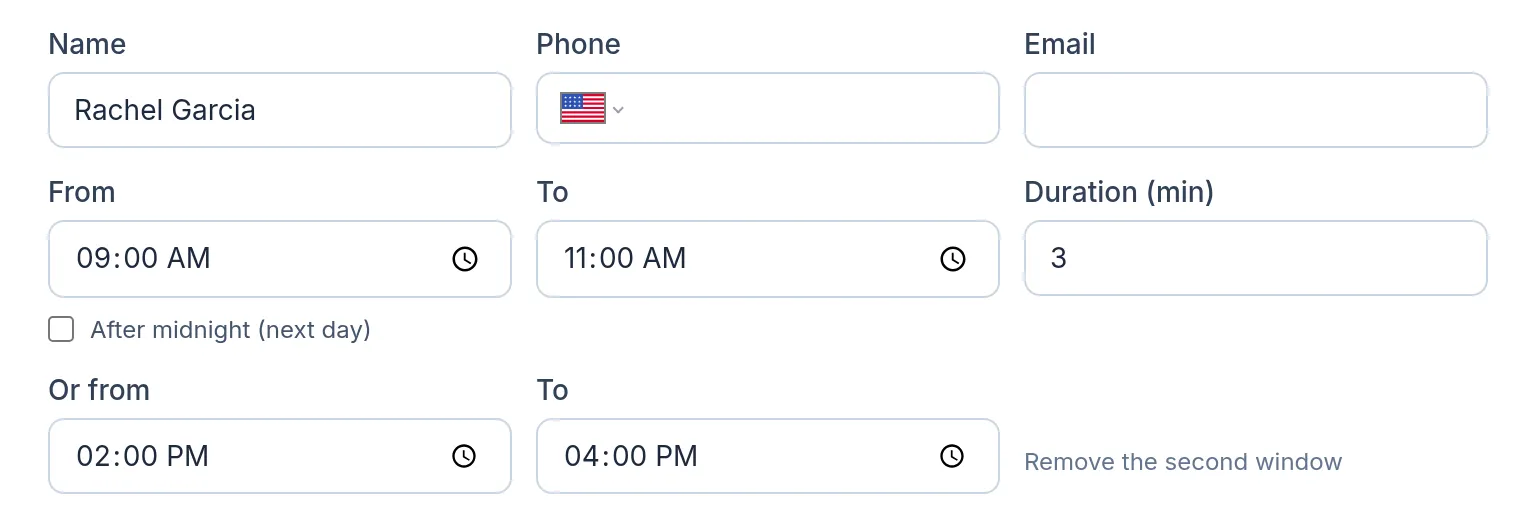
DayRoute is route planning and delivery management software for local delivery teams, made by EzOps. A second window goes on the order next to the first, in any of the ways you add orders:
- On the order: the first window, then “Or from” and “To”
- From Excel or CSV: a column such as “Second time window” (14:00-16:00), or two columns for its start and end; common names in English, Spanish, Vietnamese and Swedish are recognized
- Through the API: two entries in the order’s timeWindows
What the plan does with two windows
The plan places the visit in one of the two windows, whichever suits the routes of the whole day. When the routes are sent, the customer is told a time window inside that one, not the whole morning and afternoon. If you allow lateness instead of leaving stops out, only the second window may run late, by the minutes you allow. A stop that fits neither window stays off the routes with a reason in plain words, such as a driver who can’t reach it in its window after starting work.
The limits, exactly
At most two delivery windows per order; a second window needs a first, and it must start after the first one ends, so the two can’t overlap. A pickup takes one window. Windows that run past midnight are handled. For capacity, shifts, skills and the other rules a plan keeps, see the answer on van capacity and delivery windows. Try it on your own orders free for one month, no credit card.
Try it in the live demo
A fictional delivery company in the middle of its day. Read-only, no sign-up.
Open the live demo →Feature
Route optimization
Optimize delivery routes for your whole fleet in seconds: time windows, capacity, shifts, breaks and skills, with every unassigned stop explained.
7 steps · 4 min read
How to import delivery stops from Excel, CSV or Google Sheets
Frequently asked questions
Can an order have three windows?
No. An order takes one or two delivery windows; a pickup takes one.
Which window is the customer told?
The one the visit is planned in: the message gives a time window inside it.
Can the two windows overlap?
No. The second window must start after the first one ends.
What if neither window fits?
The stop stays off the routes with a plain reason. You can allow lateness instead; with two windows, only the second may run late.
More answers
- How do I plan delivery routes for multiple drivers?
- How should a food and beverage distributor plan truck routes?
- Why was a stop left off my routes? Reading unassigned-stop reasons
- Route planner vs route optimization software: what is the difference?
- Can I plan routes from several warehouses or start places?
Plan your morning-or-afternoon customers
Two delivery windows per order, with a reason for every stop that does not fit, on a 1-month free trial, no credit card.
Want a walkthrough with us? Book a demo